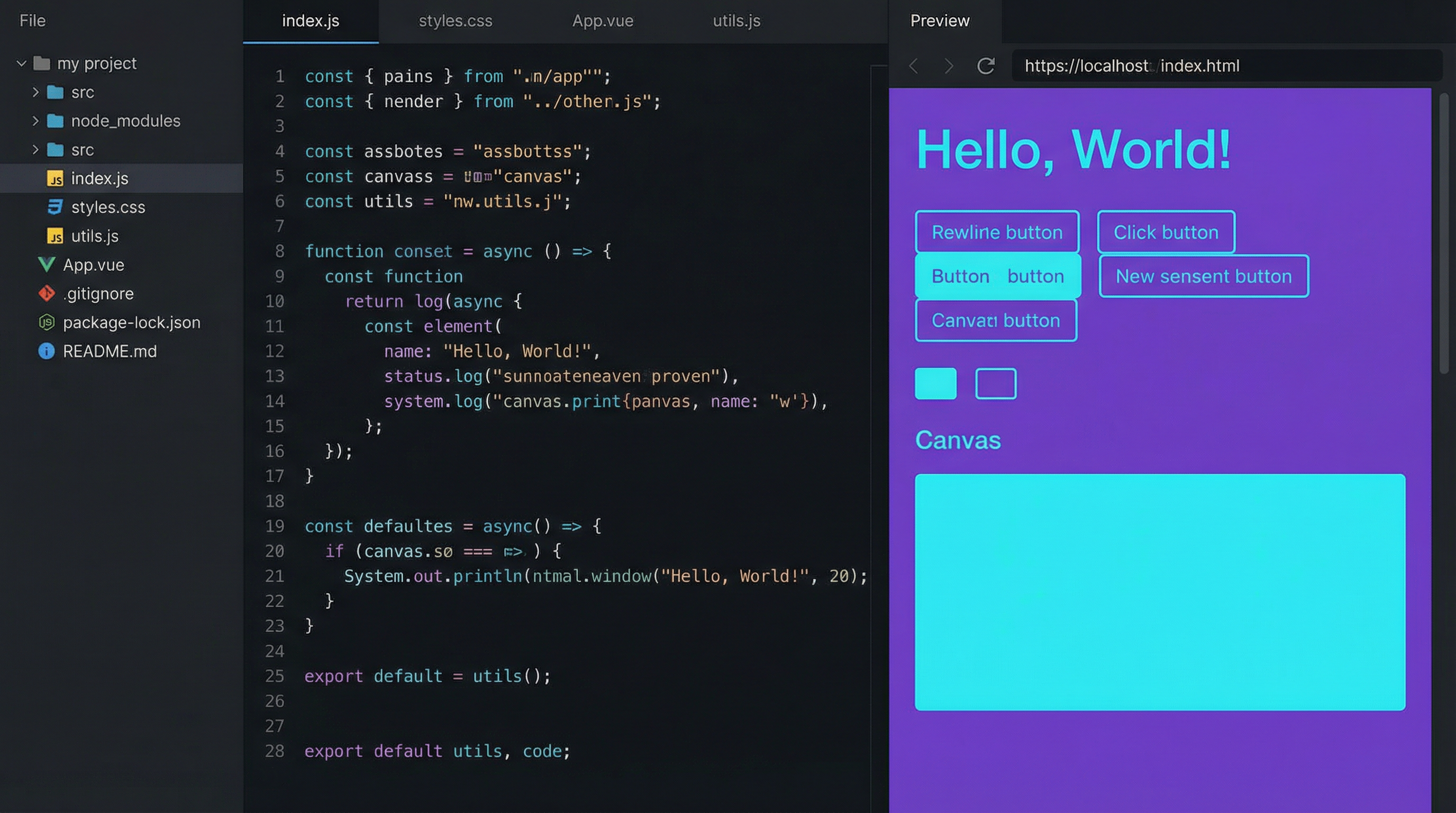
A lightweight, browser-based code editor built for quick prototyping. Supports multi-tab editing, real-time preview, syntax highlighting for 15+ languages, and collaborative sessions via WebSockets.
Existing online editors are either too bloated for quick experiments or too limited for anything beyond a single file. I wanted something in between — fast enough to open in a second, powerful enough to handle a multi-file project with live reload.
The goal was simple: open a browser tab, write code, see it run. No account required, no build step, no friction.
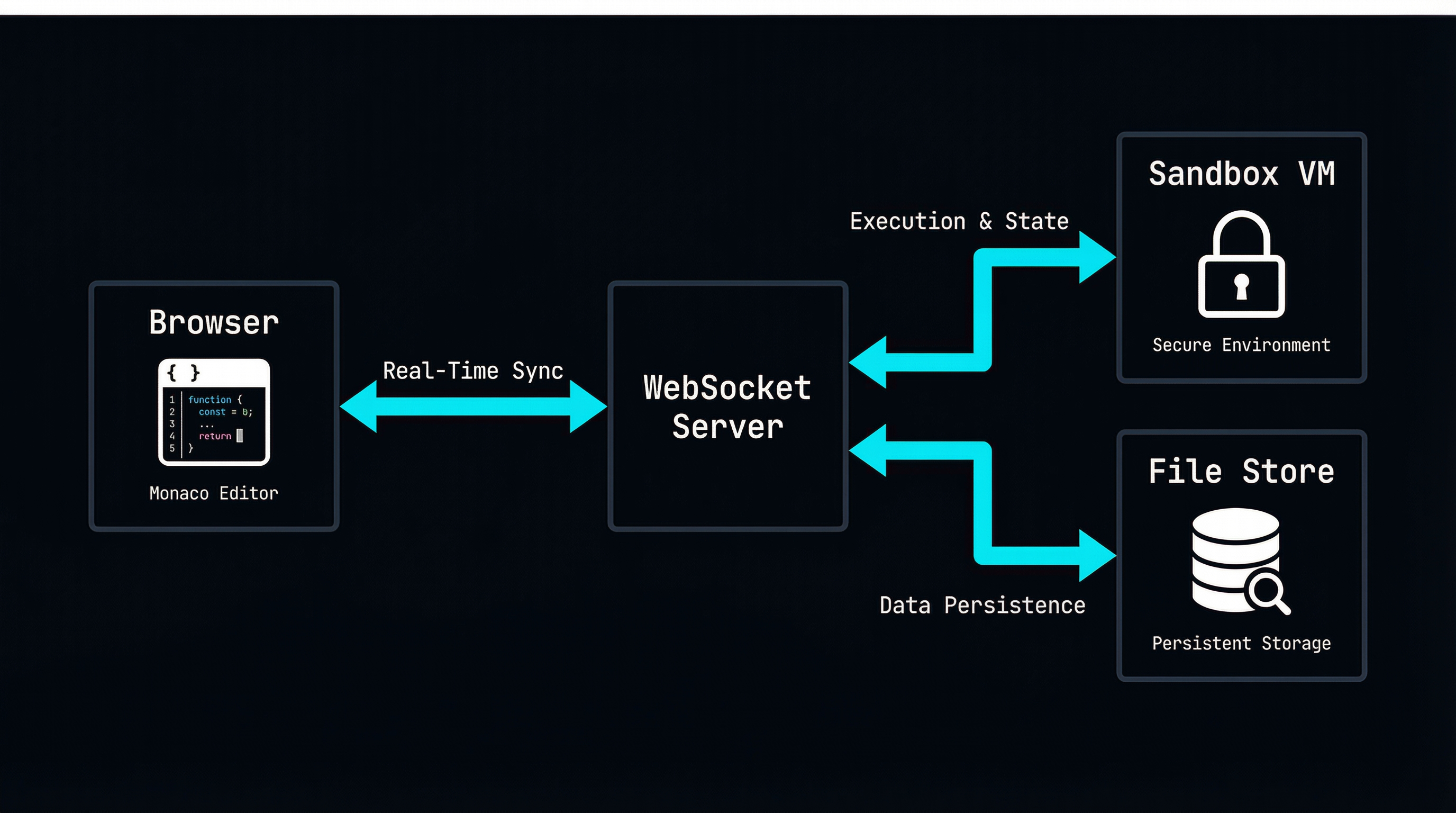
The editor runs Monaco (the engine behind VS Code) in the browser. Code execution happens server-side inside a sandboxed VM2 instance. File state syncs through WebSockets for real-time collaboration.
Opens in under 800ms. No loading spinners, no SDK downloads.
Create, rename, and switch between files like a desktop IDE.
HTML/CSS/JS renders instantly in a sandboxed iframe.
Share a link — others see your cursor and edits in real time.
12 built-in themes, custom font support, adjustable font size.
Server-side code runs in isolated VM2 containers. No escape.
Import npm modules directly. Bundled on-the-fly with esbuild.
Every keystroke is saved. Close the tab, come back — it's there.
import { WebSocketServer } from 'ws';
import { applyPatch, createDiff } from './diff-engine.js';

const wss = new WebSocketServer({ port: 8080 });
const rooms = new Map();

wss.on('connection', (ws, req) => {
  const roomId = req.url.slice(1);

  // Join or create room
  if (!rooms.has(roomId)) {
    rooms.set(roomId, { clients: new Set(), doc: '' });
  }
  const room = rooms.get(roomId);
  room.clients.add(ws);

  // Send current state to new client
  ws.send(JSON.stringify({
    type: 'init',
    doc: room.doc,
    users: room.clients.size
  }));

  ws.on('message', (data) => {
    const patch = JSON.parse(data);
    room.doc = applyPatch(room.doc, patch);

    // Broadcast to other clients
    room.clients.forEach(client => {
      if (client !== ws && client.readyState === 1)
        client.send(data);
    });
  });

  ws.on('close', () => {
    room.clients.delete(ws);
    if (room.clients.size === 0) rooms.delete(roomId);
  });
});
import { VM } from 'vm2';

const executeCode = (code, timeout = 5000) => {
  const output = [], errors = [];
  const vm = new VM({
    timeout,
    sandbox: {
      console: {
        log: (...a) => output.push(a.join(' ')),
        error: (...a) => errors.push(a.join(' ')),
      }
    },
    eval: false,
    wasm: false,
  });
  try {
    return { output, errors, result: vm.run(code) };
  } catch (e) {
    return { output, errors: [e.message], result: null };
  }
};